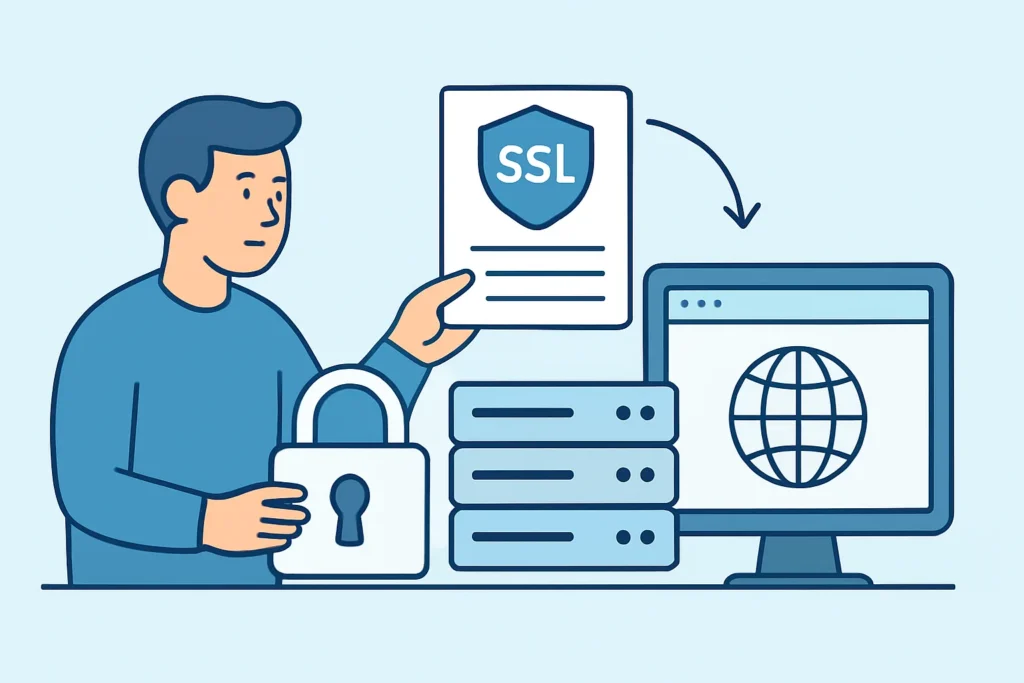
Rotating SSL certificates without service interruption is a routine job for most sysadmins and DevOps engineers, but it still causes outages more often than anyone likes to admit. The certificate is usually fine. The trouble comes from the swap: a hard restart that drops connections, a missing intermediate, or one forgotten node still serving the old certificate. This guide covers how to plan a rotation, how to do it on common platforms, how to check the result and which mistakes cause most rotation incidents.
Rotation matters more each year. Under CA/Browser Forum ballot SC-081, maximum public certificate validity dropped to 200 days on March 15, 2026. It drops to 100 days in March 2027 and to 47 days by March 2029. A process that was fine once a year now has to run several times a year, so it needs to be repeatable and low-risk.
Why Certificate Swaps Break Things
A certificate rotation has three moving parts: the new leaf certificate, its intermediate chain and the private key. The service also has to load all three. When any of these goes wrong, clients notice.
The most common failure is a cold restart. Running systemctl restart nginx instead of a reload ends every open connection. That includes WebSockets, long-polling clients and large file uploads. On a busy API with long-lived gRPC streams, a single restart can create a burst of client errors and retry storms.
The second most common failure is an incomplete chain. Desktop Chrome often hides the problem because it fetches missing intermediates on its own (AIA fetching). Android apps, curl, Java clients and payment gateway callbacks usually don’t. The site looks fine in a browser while webhooks fail quietly.
A Zero-Downtime SSL Certificate Rotation Process
An experienced SRE treats rotation as a deployment with its own rollback plan. The process below works for nginx, Apache, HAProxy and most cloud load balancers:
1. Prepare and validate offline. Before touching production, confirm that the new certificate matches the key. Compare the output of openssl x509 -noout -pubkey on the certificate with openssl pkey -pubout on the key. Then check the chain with openssl verify -untrusted chain.pem cert.pem.
2. Stage the files under new names. Write files such as example.com-2026-11.pem and switch a symlink to them, instead of overwriting the live files. Rollback is then a single symlink change.
3. Test the configuration. Run nginx -t or apachectl configtest before every reload. If a key path is wrong, the test fails here and production keeps running.
4. Reload gracefully. Use nginx -s reload, apachectl graceful or HAProxy’s runtime API. Do this one node at a time if the service sits behind a load balancer.
5. Verify from outside. Connect to each node directly, not just to the public hostname, and confirm the new serial number and expiry date.
Allow time for the whole process. Start a rotation 30 days before expiry for 90-day certificates. With 200-day certificates, start at around 60 days. That gives you time to fix problems, such as a failed ACME challenge or a delayed OV validation, without a deadline looming.
Platform-Specific Notes
nginx handles reloads well. The master process starts new workers with the new certificate. Old workers keep serving their existing connections until those connections close. Apache with apachectl graceful works the same way, though old children can stay around for a while on keep-alive-heavy sites.
HAProxy 2.1 and later can swap a certificate without any reload. Run set ssl cert followed by commit ssl cert on the runtime API socket. Remember to also write the file to disk, or the next restart will load the old certificate again. The same principles apply to other edge components. For details on Traefik, Kong and Envoy, see managing TLS certificates on reverse proxies and API gateways.
In Kubernetes, cert-manager updates the Secret automatically. Whether the pod picks up the change depends on how the Secret is mounted. Secrets mounted as volumes update in place within about a minute. Secrets mounted with subPath never update. This catches many teams out, and the result is pods serving an expired certificate even though the Secret is current.
Java applications are the difficult case. Many load the keystore only at startup, so rotation means a rolling restart behind a drained load balancer target. Plan connection draining (for example, 300 seconds on an AWS target group) before rotating.
Myth: A Renewed Certificate Is a Deployed Certificate
Many teams assume that when Certbot or their CA portal reports a successful renewal, the job is done. It isn’t. Renewal creates a file. Rotation is complete only when every endpoint is serving that file.
A typical pattern: Certbot renews on schedule every 60 days, but the deploy hook that reloads nginx was never configured. The new certificate sits on disk for 30 days while nginx keeps serving the old one from memory. Then the site goes down at midnight, and the on-call engineer finds a valid certificate in /etc/letsencrypt/live/ and can’t see why. Monitoring the certificate on disk would have missed this. Monitoring the certificate the server actually presents would have caught it a month earlier.
Common Mistakes That Turn Rotation Into an Outage
Checking only the public hostname. If the hostname sits behind a load balancer with six backends and one of them missed the rotation, roughly one request in six fails. A spot check may hit a healthy node every time. Test each backend with openssl s_client -connect 10.0.1.14:443 -servername example.com. The guide on monitoring SSL certificates on load balancers covers how to do this systematically.
Changing the key without checking for pins. Mobile apps with certificate or public key pinning reject a new key immediately. The fix is to pin a backup key in advance or to reuse the existing key for one more cycle. For the trade-offs, see SSL certificate pinning. Coordinate any key change with the mobile release schedule, which often runs 2-4 weeks behind because of app store review.
Ignoring OCSP after the swap. nginx fetches the OCSP staple lazily, so clients connecting right after a reload get no staple. For most certificates this doesn’t matter. For certificates with the Must-Staple extension, Firefox rejects those connections. Warm the staple with a few requests right after the reload, before shifting traffic.
When Standard Advice Doesn’t Apply
On appliances like F5 BIG-IP, Citrix NetScaler or older firewall VPN portals, rotation often means uploading through a GUI and changing an SSL profile. Graceful reload doesn’t apply. Schedule these changes in a maintenance window and check vendor documentation for whether existing sessions survive.
In air-gapped or regulated environments, where private keys live in an HSM and changes need CAB approval, the lead time is the real constraint. If change approval takes 10 business days, 14-day expiry alerts arrive too late. Small teams of 2-3 people face a different risk. Rotation knowledge often lives with one person. Write the steps down even if they seem obvious.
FAQ
Can I reuse the same private key when rotating a certificate?
Yes. It’s technically allowed and it simplifies pinned environments. However, reusing a key indefinitely defeats part of the purpose of rotation. Many security policies, including some PCI DSS interpretations, expect a periodic key change. Rotate the key at least once a year unless pinning prevents it.
Will a graceful reload drop active HTTPS connections?
On nginx, Apache and HAProxy, no. Existing connections finish on the old workers while new connections use the new certificate. Only a full restart or a process crash ends active sessions.
How do I confirm every server picked up the new certificate?
Query each endpoint directly by IP with the correct SNI name. Compare the serial number from openssl x509 -noout -serial against the serial of the newly issued certificate. External monitoring that records the served certificate’s fingerprint over time will flag any endpoint still presenting the old serial.
Summary
To rotate a certificate without downtime: validate offline, stage the files with a rollback path, reload instead of restarting, and verify each endpoint separately. Watch for silent automation failures, stale nodes behind load balancers and pinned clients. With certificate lifetimes getting shorter every year, make sure your rotation process is something any engineer on the team can run.