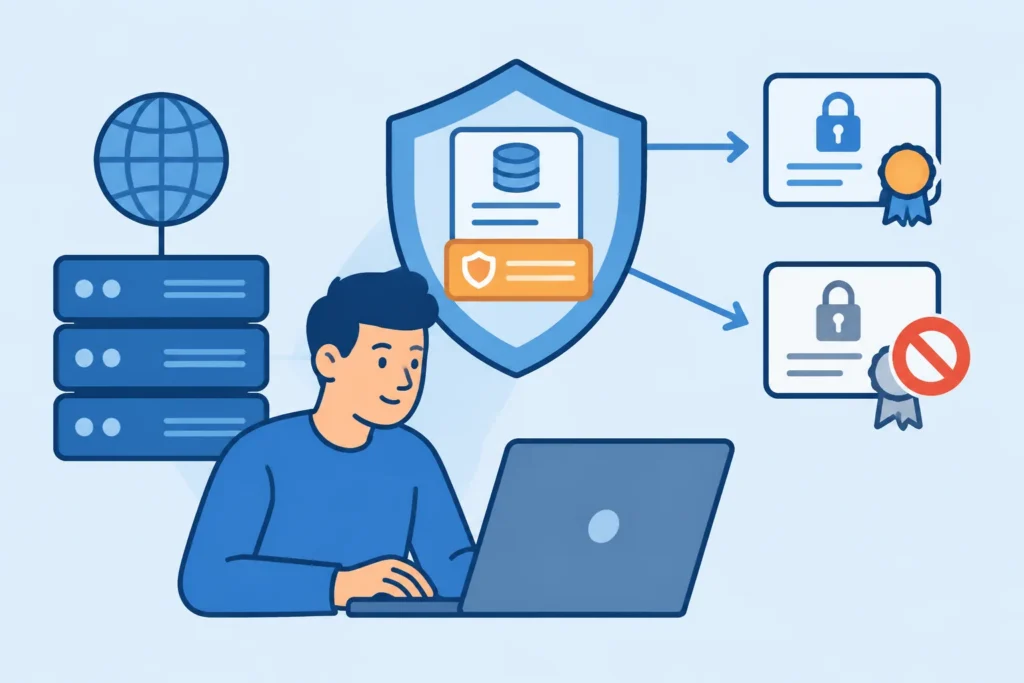
Locking down which certificate authorities can issue for your domain takes a single DNS record type, but many teams never set it up because it looks like an obscure detail. This guide shows how to configure CAA DNS records to restrict certificate issuance: what the records do, how to write them for Let’s Encrypt, DigiCert, AWS and others, and how to roll them out without blocking your own renewals. Expect about 30 minutes of work for a typical domain portfolio and a much smaller attack surface afterwards.
What CAA Records Actually Control
Certification Authority Authorization (CAA) is defined in RFC 8659, which replaced the original RFC 6844 in 2019. Since September 2017, the CA/Browser Forum Baseline Requirements have required every publicly trusted CA to check CAA before issuing an SSL certificate. If your domain publishes a CAA record and the CA isn’t listed, the CA must refuse to issue.
The record has three main tags. issue authorizes a CA for regular certificates. issuewild authorizes a CA for wildcard certificates, and for wildcards it overrides issue. iodef gives a contact URL or email for policy violation reports.
CAA lookups climb the DNS tree. A request for api.eu.example.com checks that exact name first, then eu.example.com, then example.com. The first CAA record set found applies. So one record at the zone apex covers every subdomain unless a subdomain sets its own.
Busting the Myth: Browsers Do Not Enforce CAA
A common belief is that CAA protects users from fraudulent certificates in the browser. It doesn’t. Chrome, Firefox and Safari never look up CAA records. Enforcement happens only at issuance time, inside the CA’s validation pipeline.
Two things follow from this. Certificates issued before you added CAA stay valid until they expire, so CAA doesn’t revoke anything. And a compromised or careless CA that skips the check can still issue. That’s why CAA works best together with Certificate Transparency monitoring: CAA reduces the chance of a misissued certificate, and CT logs show you when one gets issued anyway.
Step-by-Step CAA Configuration
An experienced DNS administrator starts with an inventory, not the record. Before writing a policy, pull every certificate issued for your domains from crt.sh or Censys and note each issuer. Teams often find a forgotten Sectigo certificate on a marketing microsite or a Google Trust Services certificate created automatically by a CDN.
Then follow this order:
1. List the CAs in use and look up their official CAA identifiers in each CA’s documentation.
2. Write the records at the zone apex, one issue line per authorized CA.
3. Add an iodef contact pointing to a monitored mailbox.
4. Publish with a short TTL, such as 300 seconds, for the first week.
5. Trigger a test renewal for each CA before raising the TTL to 3600 or higher.
A typical zone file entry looks like this:
example.com. 3600 IN CAA 0 issue “letsencrypt.org”
example.com. 3600 IN CAA 0 issue “digicert.com”
example.com. 3600 IN CAA 0 issuewild “;”
example.com. 3600 IN CAA 0 iodef “mailto:pki-team@example.com”
The issuewild “;” line blocks wildcard certificates from every CA. Use it only if you really don’t issue wildcards. Common identifiers include letsencrypt.org, digicert.com, sectigo.com, pki.goog for Google Trust Services, and for AWS Certificate Manager amazon.com, amazontrust.com, awstrust.com and amazonaws.com. AWS recommends listing all four.
Check the result with dig example.com CAA +short. Run it against an external resolver like 1.1.1.1 as well as your internal one, because split-horizon DNS can return different answers.
Tightening the Policy with RFC 8657 Parameters
Naming only a CA still lets anyone who can pass validation with that CA get a certificate. RFC 8657 adds two parameters that close part of this gap, and Let’s Encrypt supports both.
accounturi limits issuance to a specific ACME account. validationmethods limits the allowed challenge types, such as dns-01 only:
example.com. IN CAA 0 issue “letsencrypt.org; accounturi=https://acme-v02.api.letsencrypt.org/acme/acct/123456789; validationmethods=dns-01”
This matters because an attacker who briefly controls your web server or your DNS resolution path can pass http-01 validation. With the policy above, they also need your ACME account key. The scenarios are covered in more depth in the article on how DNS hijacking lets attackers obtain valid SSL certificates. The tradeoff is that if you rotate the ACME account, for example by rebuilding a cert-manager deployment in Kubernetes, renewals stop until the record is updated.
Common Mistakes That Break Renewals
The most common failure is a restrictive apex policy combined with SaaS subdomains. Say shop.example.com is a CNAME to a hosted commerce platform. The CA resolves the alias and checks for CAA at the target. If none exists there, it climbs back to example.com, finds your list of two CAs, and refuses the platform’s own CA. The platform’s automatic renewal then fails silently, usually about 30 days before expiry. The fix is to add the platform’s CA to the apex record or to publish a subdomain-specific CAA record where the DNS setup allows it.
The second mistake involves Cloudflare. With Universal SSL enabled, Cloudflare automatically adds CAA records for the CAs it uses as soon as you create any CAA record yourself. Administrators who later export the zone or move DNS providers often delete those entries without realizing what they were for, and edge certificate renewals break.
The third is broken DNS infrastructure. Some older authoritative servers and DNS appliances return SERVFAIL for unknown record types instead of an empty answer. Let’s Encrypt treats a failed CAA lookup as a hard stop, so issuance fails even when you never published a CAA record. If ACME errors mention a CAA SERVFAIL, the guide on why ACME validation challenges fail walks through the diagnosis. Broken DNSSEC signatures cause the same symptom.
When CAA Does Not Apply
CAA governs publicly trusted CAs only. Internal PKI such as Microsoft AD CS, HashiCorp Vault PKI or step-ca does not check CAA, so the records do nothing for certificates on internal hostnames, air-gapped networks or service mesh workloads. In those environments, issuance control comes from CA template permissions and access policies.
Small teams with one domain and one ACME client still benefit from CAA. The setup takes ten minutes, and a single issue line for Let’s Encrypt removes about a hundred other CAs from the list of places an attacker can try.
FAQ
Does adding a CAA record invalidate my existing certificates?
No. CAs check CAA only at issuance. Existing certificates stay valid until expiry, though their next renewal must match the new policy.
How quickly do CAs see a changed CAA record?
CAs must check CAA within 8 hours before issuance, and they respect your TTL. With a 300-second TTL, a fix usually takes effect within minutes.
What happens if my domain has no CAA record at all?
Any publicly trusted CA may issue for it, provided the requester passes domain validation. Not having a record is not an error.
Summary and a Final Practical Tip
CAA records are cheap and effective: list your CAs at the apex, block wildcards if you don’t use them, add an iodef contact, and consider accounturi and validationmethods for ACME-heavy setups. Remember that enforcement happens only at the CA, so pair CAA with Certificate Transparency monitoring.
One final tip: put the CAA records in the same version-controlled DNS configuration as your other records, such as Terraform or OctoDNS, and require a test renewal whenever someone adds a new CA. Most CAA-related outages happen when a team adopts a new vendor and nobody updates the record.