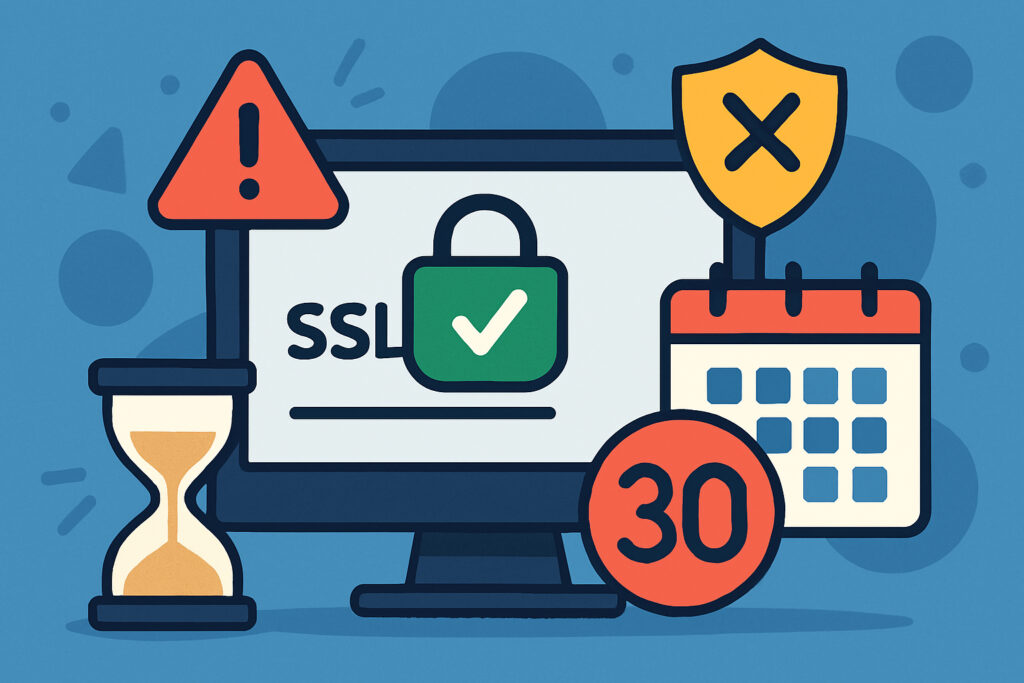
If you’ve ever seen that dreaded “Your connection is not private” warning on a website, you’ve witnessed what happens when an SSL certificate expires. It’s embarrassing for the site owner and immediately destroys visitor trust. Understanding how SSL certificate validity periods work isn’t just technical knowledge – it’s essential for maintaining a secure, trustworthy website that doesn’t suddenly break at the worst possible moment.
What Are SSL Certificate Validity Periods?
An SSL certificate validity period is the timeframe during which your certificate is considered valid by browsers and operating systems. Think of it like a driver’s license – it proves your identity and authority, but only for a specific period. Once that period ends, the certificate becomes invalid, and browsers will block access to your site with security warnings.
Currently, SSL certificates can be valid for a maximum of 398 days (roughly 13 months). This wasn’t always the case. Years ago, you could purchase certificates valid for two, three, or even five years. But certificate authorities and browser vendors gradually reduced these periods to improve security. The logic is simple: shorter validity periods mean compromised certificates pose less long-term risk, and website owners must regularly verify their domain ownership.
Why Do SSL Certificates Expire?
You might wonder why we can’t just issue permanent certificates and be done with it. There are several critical security reasons for expiration dates.
First, cryptographic standards evolve. What’s considered secure today might be vulnerable tomorrow. Regular certificate renewal forces everyone to upgrade to current encryption standards. Second, domain ownership changes. A certificate issued to a previous owner shouldn’t remain valid indefinitely after the domain is sold. Third, if a private key is compromised, limiting the validity period reduces the window of vulnerability.
I learned this the hard way a few years back when I forgot to renew a certificate on a client project. The site went down on a Friday evening, and I spent my weekend scrambling to issue and install a new certificate while apologizing to an understandably frustrated client. That experience taught me that automated monitoring isn’t optional – it’s essential.
The 398-Day Rule Explained
The current 398-day maximum validity period became standard in September 2020. Apple enforced it first through Safari, and other browsers quickly followed. Before this, one-year certificates were actually valid for around 825 days because certificate authorities added extra time to account for renewal overlap.
Here’s what’s important: even if a certificate authority technically issues you a certificate valid for longer than 398 days, major browsers will reject it. The 398-day limit is browser-enforced, not just a certificate authority guideline. This means you can’t work around it by finding a different CA.
Some organizations push for even shorter validity periods. There have been proposals for 90-day maximum lifespans, similar to Let’s Encrypt’s free certificates. While this hasn’t become mandatory yet for paid certificates, it’s worth preparing for shorter renewal cycles in the future.
Types of SSL Certificates and Their Validity
Different types of SSL certificates follow the same validity rules, but their renewal complexity varies significantly.
Domain Validation (DV) certificates are the simplest. They only verify that you control the domain. Renewal is typically automated and takes minutes. Organization Validation (OV) certificates require the CA to verify your organization’s identity, which involves documentation and manual review. Renewal takes longer but still follows the 398-day rule. Extended Validation (EV) certificates involve the most rigorous verification process, requiring legal documents and thorough vetting. Despite the extra work, they’re still limited to 398 days maximum.
Wildcard and multi-domain certificates follow identical validity rules – they just cover multiple subdomains or domains within that same 398-day window.
What Happens When Certificates Expire
When an SSL certificate expires, browsers immediately display prominent security warnings. In Chrome, you’ll see “Your connection is not private” with a red warning triangle. Firefox shows “Warning: Potential Security Risk Ahead.” These warnings are designed to be scary, and they work – most visitors will leave immediately.
Beyond the warning screens, expired certificates break more than you’d expect. API connections fail, mobile apps stop working, email encryption breaks if you’re using the certificate for mail servers, and automated systems that depend on your site will experience errors. Search engines may also temporarily delist your pages until the issue is resolved.
The business impact is immediate and severe. E-commerce sites lose sales, SaaS platforms become inaccessible, and trust built over years can evaporate in hours.
Common Myths About SSL Expiration
Let’s clear up some widespread misconceptions. First, grace periods don’t exist. Some people believe browsers give you a few days after expiration, but they don’t. Your certificate expires at exactly the specified date and time, often down to the second.
Second, you can’t just change your server’s date to extend a certificate. SSL validation uses the client’s clock (the visitor’s device), not your server’s clock. Third, expired certificates can’t be “renewed” – you must issue a completely new certificate. Finally, automatic renewal doesn’t happen magically. You need to set it up deliberately, either through your hosting provider, a service like Let’s Encrypt, or monitoring tools that alert you in advance.
Best Practices for Managing Expiration
Set up monitoring that alerts you at 30, 14, 7, and 1 days before expiration. Don’t rely on a single notification – I’ve seen important emails get caught in spam filters too many times. Use calendar reminders as a backup, and consider automated renewal wherever possible.
Keep your contact information current with your certificate authority. They’ll send renewal reminders, but only if they can reach you. Document your renewal process, including where certificates are purchased, where private keys are stored, and who has access. When someone leaves your team, this documentation becomes invaluable.
For multiple certificates across different servers or domains, maintain a spreadsheet or use dedicated certificate management software. It’s surprisingly easy to lose track when you’re managing more than a handful of certificates.
Planning Ahead
Understanding SSL certificate validity periods isn’t complicated, but the consequences of getting it wrong are serious. The 398-day maximum means you’ll renew certificates at least once a year. Build systems and processes that make this routine and reliable rather than a recurring crisis. Your visitors, your business, and your stress levels will all benefit from taking certificate management seriously from the start.