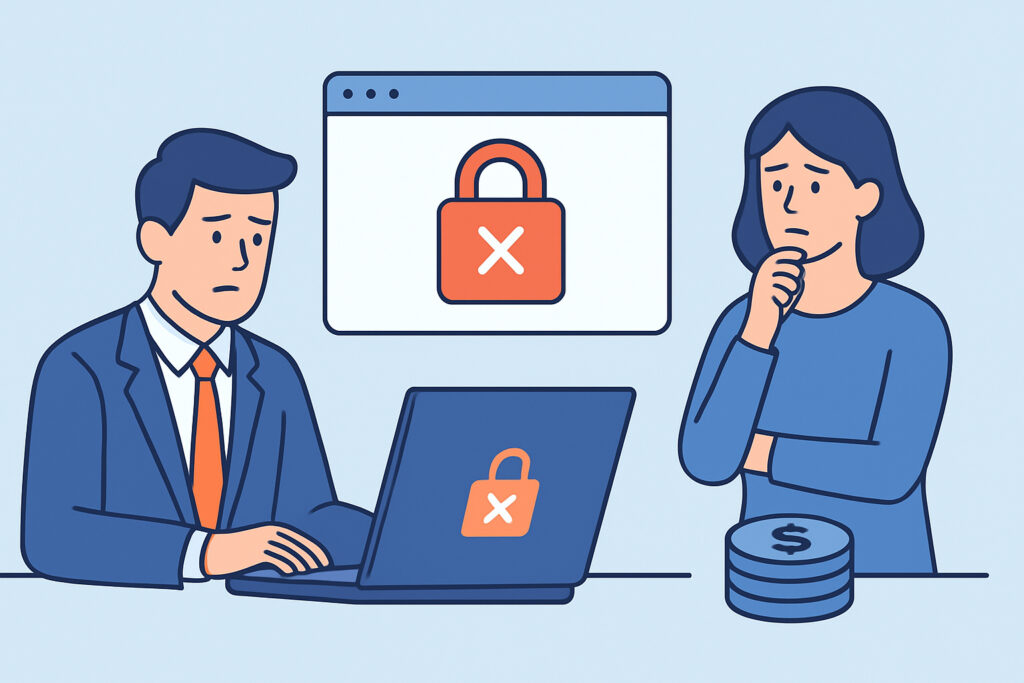
SSL certificate errors on sales-facing pages lose deals quietly, often before a sales team learns anything went wrong. A prospect clicks the pricing link in a follow-up email, sees a full-page browser warning, and closes the tab. Nobody files a ticket and nobody calls. This article covers how SSL certificate errors damage prospect trust, where they usually show up in a B2B sales funnel and how to keep them away from buyers.
Why a Browser Warning Stops a Sales Conversation
A B2B prospect looks at your website during a short evaluation window. They might be comparing three vendors on a Tuesday afternoon, with a procurement checklist open in another tab. If Chrome shows “Your connection is not private” with NET::ERR_CERT_DATE_INVALID, or Firefox shows “Warning: Potential Security Risk Ahead”, the prospect doesn’t see a minor technical problem. They see a vendor that can’t keep its own front door working.
That impression sticks. A security-conscious buyer will reasonably wonder how you handle their data if you can’t renew a certificate. Many prospects won’t mention it on the next call. They’ll move you down the shortlist and won’t say why.
The damage isn’t limited to lost visits. The effect of SSL errors on customer trust and conversions builds up over time. A prospect who hit a warning once checks your security posture more closely later, and that adds friction to every stage after it.
Where SSL Certificate Errors Hide in the Sales Funnel
The main marketing domain is rarely the one that breaks. It usually sits behind Cloudflare, AWS CloudFront or a managed host that renews certificates automatically. Problems usually start on the edges of the funnel, which belong to nobody in particular.
Typical weak spots include demo environments such as demo.example.com, trial signup subdomains, old campaign landing pages and proposal portals. Partner-hosted webinar pages are another one, and so are custom domains pointed at tools like HubSpot or Unbounce. Marketing or a solutions engineer often set these up two years ago. The certificate was issued manually, the person who issued it has left, and the renewal reminder goes to an inbox nobody reads.
Here is a scenario many DevOps engineers will know. Sales runs a quarter-end push and sends 4,000 outbound emails pointing to a dedicated landing page. That page runs on a small VPS with a certificate that expires on day two of the campaign. Certbot was installed, but the renewal cron job failed silently after an OS upgrade. Uptime monitoring shows green the whole time because the server returns HTTP 200 to its own health check. Three days of campaign traffic hit a browser warning before an account executive forwards a prospect’s screenshot to engineering.
The Myth That Prospects Just Click Through
Some teams assume that technical buyers know how to bypass a certificate warning, so an expired certificate is only a cosmetic problem. That’s wrong for two reasons.
First, browsers often don’t allow a bypass. If the domain sends an HSTS header, or sits on the HSTS preload list, Chrome and Firefox remove the “proceed anyway” option completely. The page can’t be reached.
Second, many buyers are behind corporate TLS inspection proxies such as Zscaler or Netskope. These proxies are commonly set to block sites with invalid certificates. The prospect may see a generic block page from their own IT department and no option to continue. From their side, your site is simply broken or flagged as unsafe.
Engineers who do know how to click through rarely do it on a vendor’s site. Doing so would go against their own security training.
Security Ratings and Vendor Risk Reviews
Sales cycles in mid-market and enterprise deals often include a vendor security assessment. Platforms such as SecurityScorecard and BitSight scan your public-facing assets continuously, and certificate and TLS problems count toward the score. A procurement analyst might pull that report weeks before you know the deal is in review.
An expired certificate on a forgotten subdomain, an incomplete certificate chain or support for TLS 1.0 can lower that score. In finance, healthcare and the public sector, a low rating can mean extra questionnaire rounds or a formal remediation request, and it can add 2-6 weeks to a deal. Teams selling into these industries should treat the SSL grade of every public hostname as a sales asset as well as an operational metric.
For small vendors selling to consumers or small businesses, the vendor-review side matters less. The direct browser warning matters more because there’s no account executive around to explain it.
Common Mistakes That Put Prospect Trust at Risk
The first mistake is monitoring uptime and assuming that covers certificates. A server can respond perfectly while presenting an expired certificate or a broken chain. Uptime checks often connect in ways that never validate the certificate the way a browser does.
The second mistake is relying on the certificate authority’s expiry emails. Those emails go to whoever placed the original order. With validity periods getting shorter under CA/Browser Forum Ballot SC-081 (200 days from March 2026, 100 days from March 2027 and 47 days from March 2029), renewals happen more often and there are more chances for one to slip.
The third mistake is fixing the certificate and forgetting the chain. A server that sends only the leaf certificate may still work in desktop Chrome, which can fetch missing intermediates itself. It can fail on Android apps, curl-based integrations and some corporate proxies. The prospect’s browser fails even though yours works.
How to Protect the Sales Funnel Step by Step
An experienced SRE starts with the funnel itself, not the server list. Begin with the URLs sales and marketing actually send to prospects, then work back to the infrastructure behind them.
1. Export every link used in active email sequences, ads and proposal templates, and pull out the unique hostnames.
2. Match each hostname to an owner and a renewal method: ACME automation, cloud-managed or manual.
3. Add every hostname to external SSL monitoring, with alerts at 30, 14, 7 and 1 days before expiry going to a shared channel, not a personal inbox.
4. Check chain completeness and TLS versions with openssl s_client -connect host:443 -servername host or a public SSL grading tool.
5. Include certificate status in campaign launch checklists so that a landing page with less than 30 days of validity left doesn’t go live.
Keep alert volume under control. Routing alerts for 40 marketing subdomains into the general ops channel trains people to ignore them. The guidance on configuring SSL certificate alerts for non-technical teams covers how to give marketing ownership without flooding them.
FAQ
Do SSL certificate errors affect B2B deals that are already in progress?
Yes. Buyers often revisit pricing, documentation and trust center pages late in a deal. A warning at that stage can prompt new security questions or slow down procurement approval.
Is mixed content as damaging as an expired certificate?
Less so, but it still matters. Modern browsers auto-upgrade or block mixed content, which can break embedded forms such as demo booking widgets without showing a visible warning. The prospect just can’t submit the form.
How quickly should a certificate error on a sales page be fixed?
Fix it within hours. Treat it as a revenue incident, not a routine ticket, especially during active campaigns or quarter-end pushes.
Keeping Certificates Off the Sales Agenda
Prospects don’t separate your infrastructure from your product. A single browser warning on a demo or pricing page tells them something about how you operate, and they’ll rarely give you a chance to explain. Start by mapping every hostname that sales traffic reaches. Then put those hostnames under continuous monitoring with alerts that go to a shared channel, and treat certificate health as part of campaign readiness.