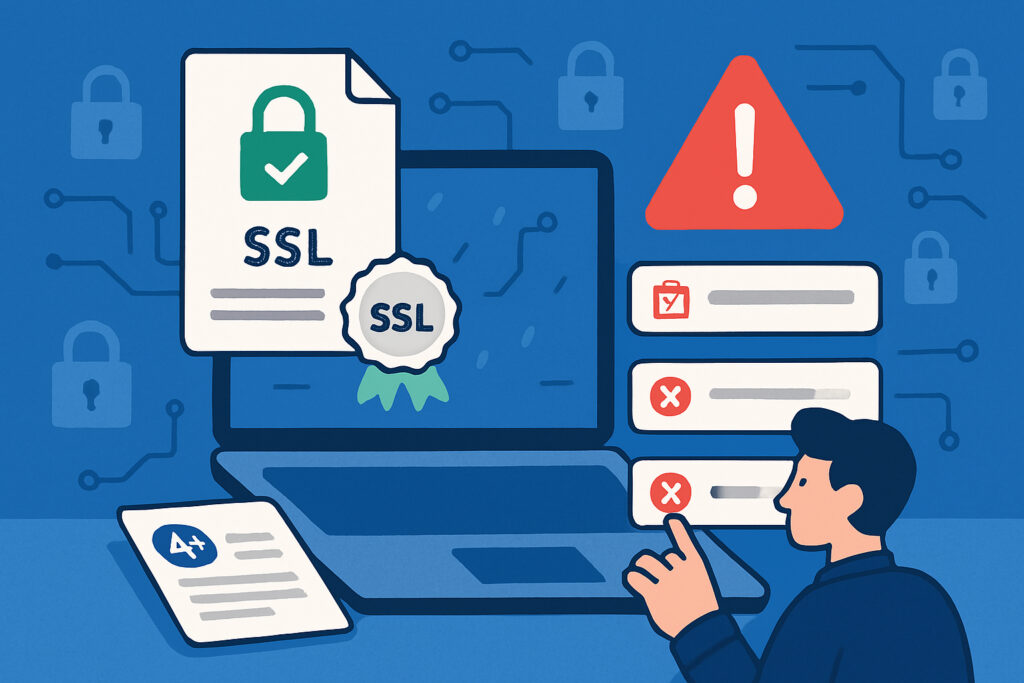
There’s nothing quite like the sinking feeling you get when you realize your website’s SSL certificate has expired—and your customers are seeing scary security warnings instead of your homepage. I learned this the hard way a few years back when a client’s certificate expired on a Friday evening, and we spent the weekend scrambling to fix it while their e-commerce sales ground to a halt. That experience taught me that preventing SSL renewal failures isn’t just about good housekeeping—it’s about protecting your business from completely avoidable disasters.
The good news? SSL certificate renewal failures are almost entirely preventable if you know what to watch for and set up the right safeguards. Let’s walk through exactly how to make sure you never find yourself in that situation.
Understand Why SSL Certificates Fail to Renew
Before you can prevent renewal failures, you need to understand what causes them. The most common culprit is simply forgetting about the renewal date—certificates typically last one year now, and it’s surprisingly easy to lose track. But there are other sneaky reasons too: your domain’s DNS records might have changed, your hosting configuration could have been updated, or the automated renewal process might have hit a technical snag without anyone noticing.
Payment failures are another big one. If your certificate provider tries to charge an expired credit card, the renewal won’t go through. I’ve seen this happen to multiple clients who had changed payment methods but forgotten to update their SSL provider account. The certificate expires, and suddenly they’re dealing with an emergency instead of a routine renewal.
Set Up Multiple Layers of Notifications
Your first line of defense is a robust notification system. Don’t rely on just one reminder—set up multiple alerts at different intervals. Most certificate authorities will send renewal reminders, but you shouldn’t depend solely on their emails. These can get caught in spam filters or sent to an old email address that nobody checks anymore.
Create calendar reminders at 30 days, 14 days, 7 days, and 1 day before expiration. Use different systems for redundancy—set one in Google Calendar, another in your project management tool, and maybe even a third in your phone. Yes, it might seem like overkill, but when you’re juggling multiple domains and projects, this redundancy becomes invaluable.
Consider using a dedicated SSL monitoring service that checks your certificates daily and sends alerts when expiration is approaching. These services often catch issues that manual tracking misses, especially if you’re managing multiple domains across different servers.
Automate Your Renewal Process
Manual renewals are asking for trouble. If you’re using Let’s Encrypt or a similar automated certificate authority, make sure your automatic renewal system is actually working. Don’t just assume it is—test it. Set up a test certificate that expires soon and verify that the automated renewal kicks in as expected.
For certificates that require manual purchase, set up a documented process. Create a checklist that includes every step: logging into the provider account, initiating renewal, updating payment information, downloading the new certificate, installing it on your server, and verifying it’s working correctly. Share this checklist with your team so renewal doesn’t depend on one person’s memory.
Monitor Your Certificate Chain and Configuration
A valid certificate isn’t enough—it needs to be installed correctly with the full certificate chain. I once spent an entire afternoon troubleshooting why a perfectly valid certificate was throwing errors, only to discover that the intermediate certificate was missing. Regular monitoring would have caught this immediately.
Check your certificate configuration regularly using online SSL testing tools. These tools verify not just the expiration date but also the complete certificate chain, protocol support, and potential security vulnerabilities. Make this part of your monthly maintenance routine.
Keep Your Domain and Server Configuration Updated
Certificate renewals can fail if your domain’s DNS records have changed or if your web server configuration has been modified. When using automated renewal systems like ACME (which powers Let’s Encrypt), the validation process needs to access specific URLs on your domain. If these are blocked by firewall rules, .htaccess redirects, or server configuration changes, renewal will fail silently.
Document any changes to your server or DNS configuration, and always consider how they might affect SSL renewal. Before making configuration changes, check whether they could interfere with the certificate validation process.
Maintain Accurate Contact Information
This seems obvious, but it’s surprising how often it’s overlooked. Make sure your certificate authority has current email addresses and phone numbers. If you change domain registrars or hosting providers, update your contact information with your SSL provider immediately.
Create a dedicated email alias for SSL notifications (something like ssl-alerts@yourdomain.com) that forwards to multiple team members. This ensures that renewal notices won’t be missed if someone leaves the company or goes on vacation.
Test Your Renewal Process in Advance
Don’t wait until the last minute to discover problems. About 60 days before expiration, do a trial run of your renewal process. This gives you plenty of time to fix any issues that crop up. Verify that you can log into your certificate provider’s dashboard, that your payment method is valid, and that you have the necessary access to install the new certificate on your server.
For automated renewals, check the renewal logs regularly. Most automation systems maintain logs that show when they attempted renewal and whether it succeeded or failed. Catching a failure early means you can fix it before it becomes urgent.
Have a Backup Plan
Even with all these precautions, things can still go wrong. Keep the contact information for your certificate authority’s support team easily accessible. Know the fastest way to get an emergency certificate issued if something fails at the last minute. Some providers offer expedited renewal services for emergencies—it’s worth knowing about these options before you need them.
Consider keeping a spare certificate or two purchased in advance for your most critical domains. Yes, it costs a bit extra, but having an emergency backup can save you from a complete outage if your primary renewal process fails.
Document Everything
Create comprehensive documentation of your SSL setup: where certificates are installed, when they expire, who has access to renew them, and step-by-step renewal instructions. This documentation should be detailed enough that someone unfamiliar with your setup could follow it and successfully renew your certificates.
Update this documentation whenever you make changes. It’s tedious, but it’s also insurance against disasters. When something goes wrong at 2 AM on a weekend, good documentation is the difference between a quick fix and hours of panicked troubleshooting.
Common Questions About SSL Renewal
How far in advance should I renew my SSL certificate? Start the process at least 30 days before expiration. This gives you plenty of buffer time if something goes wrong.
Will renewal cause downtime? No, if done correctly. You can prepare the new certificate and swap it in without any service interruption.
What happens if my certificate expires? Browsers will show security warnings to your visitors, which can tank your traffic and sales instantly. Search engines may also flag your site as unsafe.
The bottom line is this: SSL certificate renewal failures are preventable with proper planning and monitoring. Set up multiple safeguards, automate what you can, monitor what you can’t, and always have a backup plan. Your future self—and your website visitors—will thank you.