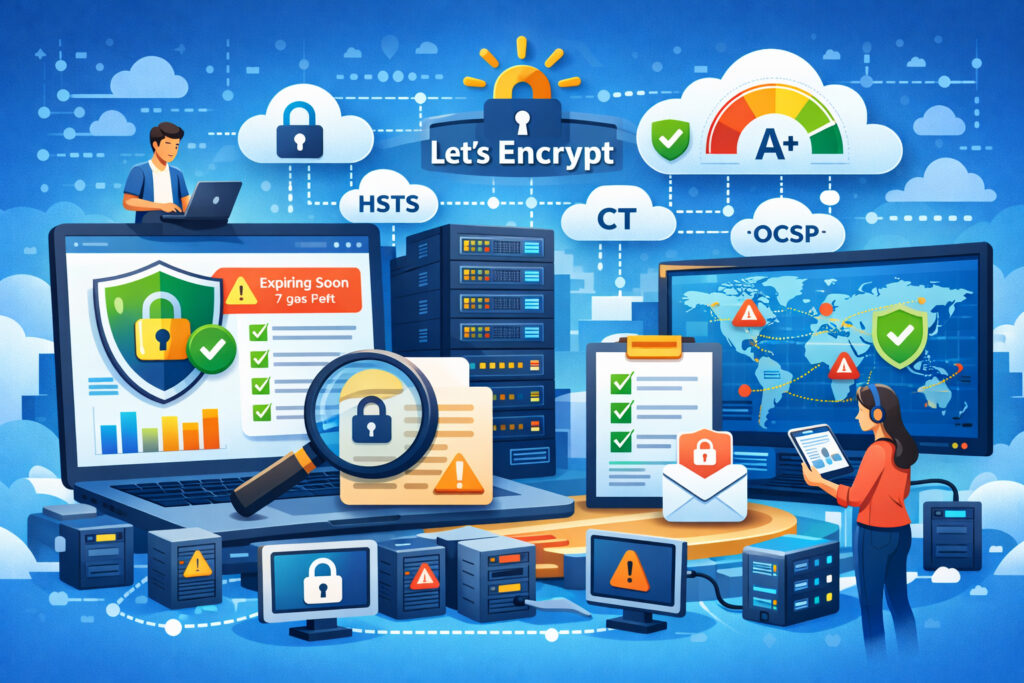
If you’re managing dozens — or hundreds — of Let’s Encrypt SSL certificates across multiple servers, you already know the 90-day renewal cycle can turn into a ticking time bomb. How to monitor Let’s Encrypt SSL certificates at scale is one of the most practical challenges facing DevOps teams and sysadmins today. This article walks you through a battle-tested approach to keeping every certificate visible, tracked, and renewed on time — without losing sleep.
Why Let’s Encrypt Makes Scale Both Easier and Harder
Let’s Encrypt was a game-changer. Free, automated, widely trusted — it removed every excuse not to use HTTPS. But that convenience has a hidden cost: because certificates are free and easy to issue, they tend to multiply fast. One server becomes five, five become twenty, and suddenly you’ve got certificates scattered across load balancers, reverse proxies, Kubernetes ingresses, and standalone boxes.
The 90-day validity period is intentionally short to encourage automation. In theory, Certbot or ACME clients handle renewals. In practice? Cron jobs silently fail. DNS challenges break after infrastructure changes. A server gets rebuilt and nobody remembers to set up auto-renewal. I’ve seen a staging environment go untouched for four months — nobody noticed until a client demo hit a browser warning mid-presentation.
The Myth: ”Auto-Renewal Means I Don’t Need Monitoring”
This is the single biggest misconception. Yes, Certbot’s auto-renewal works well — when everything around it stays stable. But renewal can fail silently for a dozen reasons: a firewall rule change blocks the ACME validation, a web server config gets overwritten during deployment, disk space runs out and the new certificate can’t be written, or the DNS provider’s API token expires.
The renewal process succeeding once doesn’t guarantee it will succeed next time. Monitoring isn’t a replacement for auto-renewal — it’s the safety net that catches failures auto-renewal can’t prevent.
Step-by-Step: Building a Scalable Monitoring Strategy
1. Inventory every certificate. You can’t monitor what you don’t know exists. Start with a full audit. Use a simple script to scan your servers — openssl s_client -connect across your domain list — and log the issuer, expiration date, and SANs. For larger setups, pull data from Certificate Transparency logs to catch certificates you might have forgotten about.
2. Centralize your monitoring. Checking certificates server by server doesn’t scale past a handful of domains. You need a single dashboard where every certificate’s status is visible. A service like SSLVigil lets you add all your domains in one place and tracks expiration, certificate chain correctness, HSTS headers, and OCSP status — things you’d otherwise need multiple scripts to cover.
3. Set up layered alerts. A single ”your cert expires tomorrow” email is too late. You want warnings at 30, 14, 7, and 1 day before expiration. That gives you time to investigate why auto-renewal didn’t fire, fix the underlying issue, and renew manually if needed — all without any visitor seeing a security warning.
4. Monitor the chain, not just the leaf. Let’s Encrypt has changed its intermediate certificates before (remember the DST Root CA X3 expiration in 2021?). A valid leaf certificate with a broken chain still triggers browser errors. Make sure your monitoring checks the full certificate chain, not just whether the domain certificate exists.
5. Integrate with your existing workflow. Alerts are useless if they land in a mailbox nobody checks. Connect your monitoring to Slack, PagerDuty, or whatever your team actually uses. The goal is that a failing certificate gets the same response urgency as a server going down — because to your users, the effect is identical.
What to Watch Beyond Expiration Dates
Expiration is the obvious metric, but at scale you need to track more:
Mixed content warnings. A renewed certificate doesn’t help if your pages still load images or scripts over HTTP. Detecting mixed content before users encounter it saves you from the ”padlock missing” complaints that erode trust.
Certificate Transparency compliance. All publicly trusted certificates should appear in CT logs. If a certificate is issued for your domain and it’s not in the logs, that’s a red flag worth investigating. SSLVigil monitors Certificate Transparency as part of its standard checks.
OCSP stapling. If your server isn’t stapling OCSP responses, browsers may do their own revocation checks — adding latency and sometimes failing in ways that look like SSL errors to visitors.
SSL grading. A monthly security report that grades your SSL configuration from A+ to F gives you an instant snapshot of where things stand. It’s the kind of thing that takes ten seconds to read and saves hours of troubleshooting.
When Manual Tracking Breaks Down
I’ve worked with teams that tracked certificates in spreadsheets. It works for five domains. At fifty, someone forgets to update a row. At two hundred, the spreadsheet is fiction. The 90-day Let’s Encrypt cycle means you’re dealing with renewal events roughly every three months per domain — multiply that by a hundred domains and you’ve got a renewal event almost every single day.
That’s why manual tracking simply doesn’t work at scale. Automated monitoring isn’t a luxury — it’s the only approach that keeps pace with the volume.
Handling Multi-Domain and Wildcard Let’s Encrypt Certificates
If you’re using SAN certificates covering multiple domains or wildcard certificates for subdomains, monitoring gets trickier. A single wildcard cert might protect dozens of subdomains, but if that one certificate fails to renew, everything behind it goes dark simultaneously.
Make sure your monitoring covers each individual subdomain endpoint, not just the base domain. A wildcard certificate might be valid, but if it’s not deployed correctly to a specific server, that subdomain still shows errors. Monitoring wildcard certificates across subdomains requires checking actual connections, not just certificate metadata.
FAQ
How often should I check Let’s Encrypt certificates if they auto-renew?
Daily checks are the minimum at scale. Let’s Encrypt certificates renew at 30 days before expiry by default, so daily monitoring gives you a full month’s warning if a renewal fails. SSLVigil runs 24/7 checks and sends layered alerts well before expiration.
Can Certificate Transparency logs help me find forgotten Let’s Encrypt certificates?
Absolutely. CT logs record every publicly issued certificate. Searching them for your domain names can reveal certificates you didn’t know existed — issued by former team members, old staging servers, or even unauthorized parties. It’s one of the best audit tools available.
What’s the fastest way to recover if a Let’s Encrypt certificate expires unexpectedly?
Run certbot renew --force-renewal on the affected server, verify the web server reloads the new certificate, and check that the full chain is intact. Then figure out why your monitoring didn’t catch it — because that’s the real problem to solve.
Final Thought
At scale, the question isn’t whether a Let’s Encrypt certificate will fail to renew — it’s when. The teams that handle it smoothly are the ones who already have centralized monitoring, layered alerts, and a clear response process. Set it up once, and you’ll spend far less time firefighting SSL issues than you ever did maintaining spreadsheets and hoping for the best.