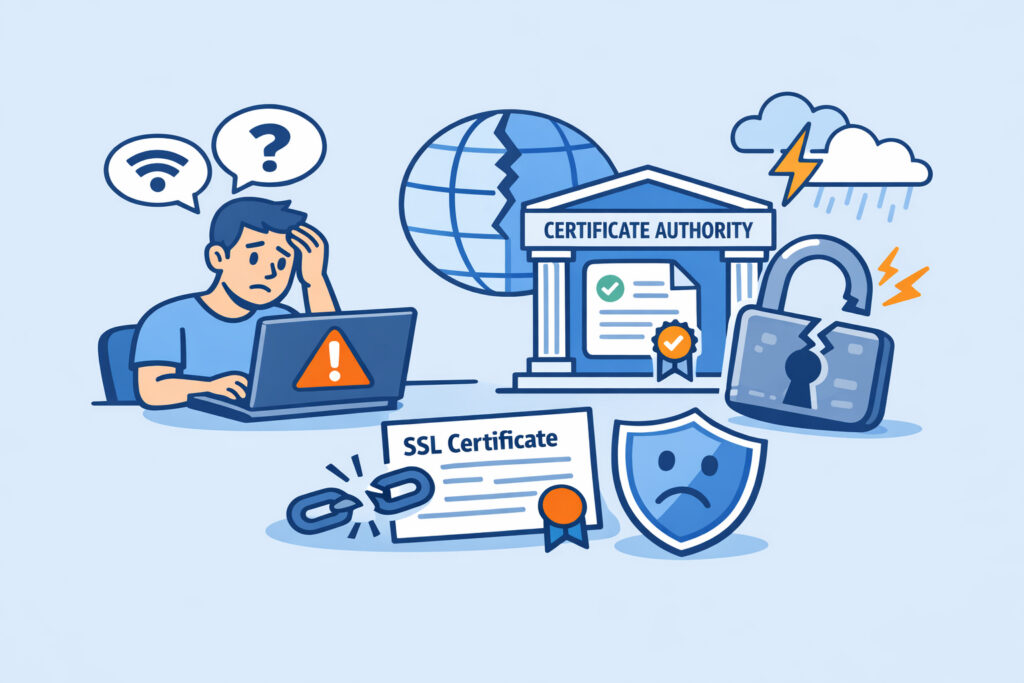
When a Certificate Authority goes down, your SSL certificates don’t just stop working in obvious ways – the failures are subtle, delayed, and often invisible until real users start seeing browser warnings. Understanding how CA outages affect your website security is essential for anyone managing SSL certificates across production environments.
Most teams treat their CA relationship as a “set and forget” arrangement. You buy the cert, install it, and move on. But the moment a CA experiences downtime – whether it’s an infrastructure failure, a revocation service outage, or a compromised intermediate – your site’s trust chain can quietly break.
What Actually Happens During a CA Outage
A Certificate Authority does more than just issue certificates. It runs critical infrastructure that browsers and clients query in real time. The two most important services are OCSP (Online Certificate Status Protocol) responders and CRL (Certificate Revocation List) distribution points.
When a CA’s OCSP responder goes offline, browsers can’t verify whether your certificate has been revoked. Some browsers handle this with “soft fail” – they assume the certificate is fine and proceed. Others, particularly in stricter enterprise environments, hard-fail and block the connection entirely. Either way, you’ve lost a security guarantee or lost traffic.
CRL distribution works similarly. If the CA can’t serve updated revocation lists, revoked certificates might still appear valid. That’s a security gap you can’t control from your end.
Then there’s the renewal pipeline. If your certificate is due for renewal during a CA outage, you simply can’t get a new one. I’ve seen teams scramble at 11 PM because their cert expired, the CA’s issuance system was down, and they had zero backup plan. The site sat behind a browser warning for hours.
The Chain of Trust Problem
Your SSL certificate doesn’t stand alone – it’s part of a chain that leads back to a trusted root CA. If any link in that chain becomes unreliable, the whole thing falls apart.
During the Let’s Encrypt ISRG Root X1 cross-sign expiration in 2021, millions of devices with outdated root stores suddenly couldn’t validate perfectly good certificates. That wasn’t a traditional “outage,” but the effect was the same: broken trust chains, confused users, and a flood of support tickets.
A CA outage can trigger similar chain validation failures. If an intermediate certificate’s OCSP response is unavailable or stale, modern browsers may flag your site. OCSP stapling helps here – your server caches and serves the OCSP response directly – but if your last stapled response expires before the CA comes back online, you’re exposed again. For a deeper look at chain validation problems, the guide on detecting and resolving SSL certificate chain issues covers the technical details.
The Myth: “My Certificate Is Installed, So I’m Fine”
This is the single most dangerous assumption in SSL management. Your certificate being installed and valid is just one piece. The ongoing verification infrastructure – OCSP, CRL, CT logs, intermediate availability – all has to function continuously.
Think of it like a passport. Having a valid passport means nothing if the border agency’s verification system is down and they can’t confirm it’s real. Some borders let you through anyway. Others don’t. That inconsistency is exactly what happens with browser behavior during CA outages.
How CA Outages Impact Revocation Checking
Revocation checking is the part most teams overlook entirely. When a CA goes down, you lose the ability to check whether any certificate issued by that CA has been revoked. That means compromised certificates could remain trusted by browsers and clients during the entire outage window.
For sites in regulated industries – finance, healthcare, government – this isn’t just a technical issue. It’s a compliance risk. Auditors expect continuous revocation checking, and “our CA was down” isn’t an acceptable answer. If you’re building a revocation monitoring strategy, the article on revocation detection and response strategies is worth reviewing.
Practical Steps to Reduce Your Exposure
You can’t prevent CA outages, but you can limit the damage.
Enable OCSP stapling. Configure your Apache or Nginx server to staple OCSP responses. This reduces your dependency on the CA’s OCSP responder being online at the exact moment a visitor connects. On Nginx, it’s as simple as adding `ssl_stapling on;` and `ssl_stapling_verify on;` to your server block.
Monitor your CA’s status independently. Don’t wait for users to report problems. SSLVigil monitors OCSP compliance, certificate chain correctness, and HSTS enforcement continuously – so you’ll know about a problem before it hits your visitors.
Keep renewal timelines generous. Renew certificates at least 30 days before expiration. If a CA outage hits during your renewal window, you still have time to wait it out or switch providers. SSLVigil sends alerts at 30, 14, 7, and 1 day before expiration, giving you multiple chances to act.
Have a backup CA strategy. For critical infrastructure, consider having certificates from two different CAs ready. This isn’t common for small sites, but for production services handling thousands of transactions, it’s standard practice.
Know what happens when expiration catches you off guard. If a CA outage delays your renewal past the expiration date, the consequences escalate fast – browser warnings, lost traffic, and broken API integrations. The breakdown of what happens when your SSL certificate expires unexpectedly covers exactly what you’re facing in that scenario.
FAQ
Can a CA outage cause my existing SSL certificate to stop working?
Not immediately. Your installed certificate remains valid. However, browsers that perform real-time OCSP checks may fail to verify it, and some strict configurations will block access entirely. The practical effect can look identical to a broken certificate.
How long do OCSP stapled responses remain valid?
Typically 24 hours to 7 days, depending on the CA. If the CA’s OCSP responder stays down longer than your stapled response’s validity period, clients will fall back to querying the CA directly – and fail.
Should I use a different CA as a backup?
For business-critical services, yes. Having a secondary certificate from a different CA ready to deploy gives you a failover option. For smaller sites, just maintaining generous renewal timelines and active monitoring is usually sufficient.
The Bottom Line
CA outages are low-frequency events, but they carry disproportionate risk. The combination of stale revocation data, blocked renewals, and inconsistent browser behavior means even a short outage can create real security gaps and real user impact. The teams that handle these events well are the ones who were already monitoring their certificate infrastructure continuously – not the ones reacting to browser warnings at 2 AM.