If you run a SaaS platform, SSL certificate monitoring isn’t just a nice-to-have — it’s the invisible backbone of customer trust. A single expired certificate can lock users out of your app, trigger browser warnings that send prospects running, and even break API integrations that your paying customers depend on. This article covers the best practices for SSL certificate monitoring specifically tailored to SaaS environments, where the stakes are higher and the infrastructure more complex than a typical website.
Why SaaS Platforms Face Unique SSL Challenges
Most SaaS products don’t run on a single domain. You’ve got your main app, a marketing site, API endpoints, custom customer domains, staging environments, maybe a docs subdomain and a status page. Each one has its own certificate — or shares a wildcard — and each one can expire independently.
I’ve seen a scenario where a platform’s primary app worked fine, but the API subdomain’s certificate quietly expired on a Friday evening. Customers’ integrations started failing silently. By Monday morning, the support queue was on fire and three enterprise accounts had escalated. The root cause? Nobody was monitoring that specific subdomain.
The myth here is that “if my main domain certificate is fine, everything is fine.” That’s dangerously wrong. Every endpoint your customers or their systems touch needs its own monitoring.
Map Every Certificate in Your Infrastructure
Before you can monitor anything, you need a complete inventory. SaaS platforms tend to accumulate certificates over time — someone spins up a staging server, another team adds a webhook endpoint, a partner integration gets its own subdomain.
Start with a full audit:
1. List every domain and subdomain your platform uses, including internal services.
2. Check each one for an active SSL certificate — note the issuer, expiration date, and certificate type (single, wildcard, multi-domain).
3. Document which certificates are auto-renewed (e.g. Let’s Encrypt) and which require manual action.
4. Identify any wildcard certificates shared across subdomains — these are convenient but create a single point of failure if renewal breaks.
A spreadsheet works for five certificates. When you’re managing 30 or 50 across multiple environments, you need centralized monitoring — not manual tracking.
Set Up Multi-Stage Expiration Alerts
Getting a single alert three days before expiration is not enough for a SaaS platform. Renewal often involves coordination between teams — DevOps, security, and sometimes the customer success team if custom domains are affected.
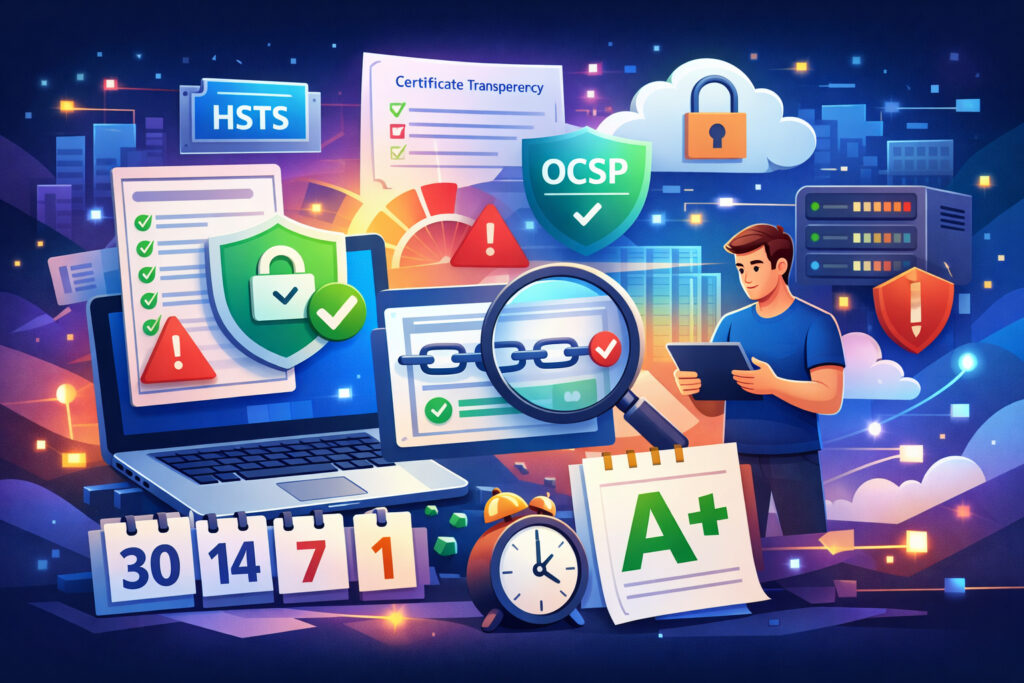
Best practice is layered alerting: 30 days, 14 days, 7 days, and 1 day before expiration. The 30-day alert is your planning window. The 14-day alert is your action trigger. The 7-day and 1-day alerts are your safety nets.
SSLVigil sends exactly these advance warnings, which fits the SaaS workflow well. The early alerts give you time to coordinate across teams, test renewal in staging, and push to production without rushing. If you’re relying on a single reminder — or worse, a calendar event someone set two years ago — that approach doesn’t scale.
Monitor More Than Just Expiration
Expiration is the most obvious failure point, but it’s far from the only one. SaaS platforms should also monitor:
Certificate chain correctness. An incomplete chain causes failures in specific browsers, mobile apps, and API clients that don’t cache intermediate certificates. Your app might work fine in Chrome on desktop but break in a customer’s Java-based integration. Detecting and resolving certificate chain issues early prevents these silent breakages.
Mixed content warnings. If your app loads any resource over HTTP — an image, a script, a font — browsers will flag it. For a SaaS platform, mixed content erodes the professional image you’ve built. Worse, some browsers block mixed content entirely.
HSTS and Certificate Transparency compliance. These aren’t optional extras anymore. HSTS ensures browsers always connect via HTTPS, and Certificate Transparency logs let you detect unauthorized certificates issued for your domains — a real threat if you’re handling sensitive customer data.
OCSP stapling status. When OCSP checks fail, some browsers add latency or show warnings. For a SaaS platform where performance is part of the product, that matters.
SSLVigil covers all of these and produces a monthly security report graded A+ to F, delivered as a professional PDF. That grade gives you a quick snapshot of your SSL posture without digging through logs.
Automate Renewal — But Still Monitor It
Let’s Encrypt and similar ACME-based authorities have made auto-renewal the default for many SaaS platforms. That’s great, but automated doesn’t mean infallible.
Auto-renewal fails more often than people expect. DNS changes, server migrations, permission issues, rate limits during high-volume renewal — any of these can silently break the process. If you’re running Let’s Encrypt at scale across dozens of domains, you need monitoring that catches renewal failures, not just expiration dates.
The best practice is to treat auto-renewal as your primary mechanism and monitoring as your verification layer. Trust but verify.
Centralize Monitoring Across All Environments
SaaS teams typically manage production, staging, and development environments. It’s tempting to only monitor production, but staging certificate issues have a habit of blocking deployments at the worst possible time.
A centralized dashboard that covers every environment eliminates the “I thought someone else was handling it” problem. If your team manages client websites alongside the SaaS product, a centralized management approach saves hours of manual checking each month.
Integrate SSL Monitoring Into Your Incident Workflow
SSL alerts should go where your team already works — Slack, PagerDuty, email, or your incident management system. An alert that sits unread in a mailbox is worthless.
For SaaS platforms, consider routing certificate alerts based on severity. A 30-day warning goes to the team channel. A 7-day warning goes to the on-call engineer. A 1-day warning triggers an urgent notification. This prevents alert fatigue while ensuring nothing slips through.
FAQ
How often should a SaaS platform check SSL certificate status?
Daily checks are the minimum. For customer-facing endpoints and APIs, every few hours is better. You want to catch issues like an accidental certificate replacement or a chain misconfiguration before customers report it — not after.
Do I need to monitor SSL on internal microservices that aren’t public-facing?
Yes. Internal service-to-service TLS is increasingly standard, and an expired internal certificate can cascade into customer-facing outages. If a service uses TLS, it needs monitoring — regardless of whether the public internet can reach it.
What’s the biggest SSL-related risk specific to SaaS platforms?
Custom customer domains. If you offer white-labeling or custom domains, each customer’s domain needs its own certificate, and you’re responsible for renewal. One missed renewal means one angry customer — and at scale, the math gets ugly fast.
Final Thought
For SaaS platforms, SSL monitoring is operational hygiene — like backups or log rotation. You don’t get credit for doing it, but you’ll absolutely feel the pain when you don’t. Start with a full certificate inventory, set up layered alerts, monitor beyond just expiration, and centralize everything into one view. Your future self — and your customers — will thank you.