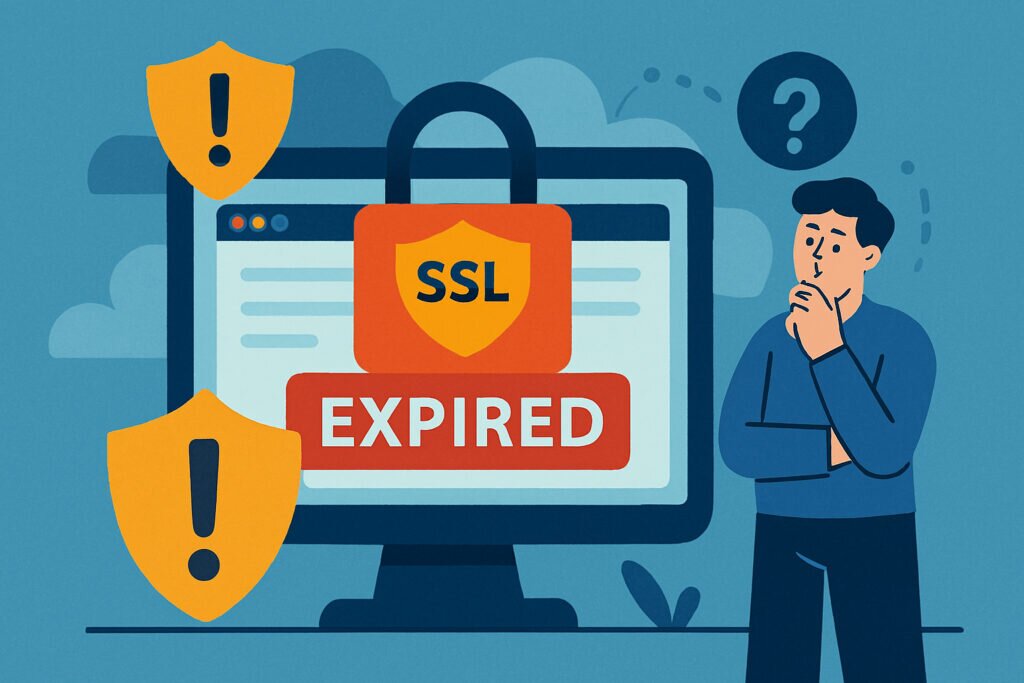
Let me tell you about a weekend I’d rather forget. I was enjoying a quiet Saturday morning when my phone started buzzing with angry emails. One of my client’s e-commerce sites had gone down – not because of a server crash or a DDoS attack, but because their SSL certificate had expired overnight. Customers couldn’t complete purchases, browsers were showing scary red warning screens, and I spent the next four hours scrambling to fix what should have been a preventable issue. That incident taught me something valuable: expired SSL certificates aren’t just minor inconveniences. They’re serious security vulnerabilities that can devastate your business in ways you might not expect.
What Happens When Your SSL Certificate Expires
When an SSL certificate expires, your website doesn’t just quietly stop working. Modern browsers immediately flag your site as “Not Secure” with prominent warnings that look genuinely alarming to visitors. Chrome displays a red “Not Secure” label in the address bar, Firefox shows a crossed-out padlock, and Safari presents similarly intimidating messages. These warnings don’t just say your site might have a problem – they explicitly tell visitors that attackers might be trying to steal their information.
The immediate consequence is that most visitors will leave your site within seconds. Studies show that over 80% of users abandon websites when they see SSL warnings, and honestly, can you blame them? If I saw a big red warning saying “Your connection is not private” while trying to buy something online, I’d be out of there faster than you can say “data breach.”
The Man-in-the-Middle Attack Window
Here’s where things get technically dangerous. An expired SSL certificate creates a perfect opportunity for man-in-the-middle (MITM) attacks. Without a valid certificate, there’s no encrypted tunnel protecting the data traveling between your visitors and your server. This means anyone positioned between the user and your website – perhaps someone on the same coffee shop WiFi network – can potentially intercept and read everything being transmitted.
This isn’t theoretical. I’ve seen cases where login credentials, credit card information, and personal data were compromised because a certificate lapsed for just 48 hours. The attackers didn’t need sophisticated tools – just basic network sniffing software that’s freely available online. Your expired certificate essentially rolls out a red carpet for anyone wanting to eavesdrop on your users.
The Trust Problem That Lingers
Even after you renew an expired certificate, the damage to your reputation can persist. Search engines like Google actively crawl the web and note security issues. If their bots encounter your expired certificate, your site can be flagged in their systems, potentially affecting your search rankings for weeks or even months afterward.
But the bigger issue is user trust. Once someone has seen that terrifying security warning on your site, they’re unlikely to forget it quickly. I’ve tracked analytics for clients who experienced SSL expiration, and the traffic recovery typically takes 2-3 weeks minimum, even after the certificate is renewed. Some users never come back at all, having already moved on to competitors who seemed more reliable.
Payment Processing and Compliance Nightmares
If you handle any kind of payment processing, an expired SSL certificate isn’t just embarrassing – it’s a compliance violation. PCI DSS (Payment Card Industry Data Security Standard) explicitly requires valid SSL/TLS certificates for any website processing credit card transactions. An expired certificate means you’re immediately non-compliant, which can result in fines, the inability to process payments, and potential liability if a breach occurs.
I worked with an online retailer who discovered this the hard way. Their payment processor suspended their account within hours of detecting the expired certificate, and it took nearly a week to restore service – even though they renewed the certificate the same day. That week of downtime cost them approximately $40,000 in lost sales, not to mention the administrative headache of dealing with payment processor compliance reviews.
API Integrations and Backend Services
Modern websites rarely operate in isolation. You probably have numerous API connections to third-party services – payment gateways, email marketing platforms, analytics tools, CRM systems, and more. Many of these services verify your SSL certificate as part of their security protocols. When your certificate expires, these integrations can suddenly stop working.
The tricky part is that these failures often aren’t obvious. Your website might look fine on the surface, but form submissions aren’t reaching your CRM, payment confirmations aren’t being sent, or analytics data isn’t being collected. I’ve seen businesses operate for days without realizing their expired certificate had broken critical backend processes, resulting in lost leads and incomplete customer data.
Mobile App Connections
If you have a mobile app that connects to your web servers, an expired SSL certificate can be catastrophic. Most mobile apps implement certificate pinning or strict SSL verification, which means they’ll refuse to connect to servers with invalid certificates. Your app essentially becomes a brick until the certificate is renewed, and unlike website visitors who might try again later, app users often just delete apps that stop working and leave negative reviews.
How Long Is Too Long?
Here’s something many people don’t realize: the damage from an expired certificate begins accumulating immediately, but the severity escalates rapidly. In the first 24 hours, you might lose traffic and sales. By 48-72 hours, search engines have likely noticed and flagged your site. After a week, you’re looking at serious ranking penalties and significant reputation damage that will take months to repair.
I’ve also noticed that different browsers and devices cache certificate information differently. Even after renewal, some users might continue seeing warnings until they clear their browser cache or the cached certificate data expires naturally. This means your “recovery time” can extend well beyond when you actually fix the problem.
Common Myths About SSL Expiration
Myth 1: “My hosting provider handles this automatically.” Many hosting providers do offer auto-renewal for SSL certificates, but it’s not foolproof. Automated systems fail, credit cards expire, domain ownership changes, and email notifications go to spam folders. Never assume it’s being handled without verification.
Myth 2: “I’ll just renew it when I get the warning.” By the time you see a warning, you’re often already in the danger zone. Certificate authorities typically send renewal reminders 30 days out, but if you wait until the last minute, you’re risking unexpected complications like verification delays or technical issues that could push you past the expiration date.
Myth 3: “It’s just a certificate, how bad can it be?” As I’ve outlined, the consequences cascade far beyond a simple technical glitch. This is a security vulnerability, a compliance violation, and a business continuity risk all rolled into one.
The Prevention Strategy
The solution isn’t complicated, but it requires consistent attention. Set up monitoring that checks your SSL certificate status daily and alerts you at multiple intervals before expiration – 30 days, 14 days, 7 days, and 1 day out. This gives you plenty of buffer time to handle renewals without panic.
Consider using automated SSL monitoring services that not only track expiration dates but also verify that your certificate chain is correctly configured, check for security vulnerabilities in your SSL implementation, and provide regular health reports. The small investment in monitoring pays for itself many times over by preventing even a single incident.
After that weekend disaster I mentioned earlier, I implemented strict SSL monitoring across all my projects. In the three years since, I haven’t had a single expired certificate incident. The peace of mind alone is worth it, but more importantly, my clients’ websites stay secure, compliant, and trustworthy – exactly as they should be.