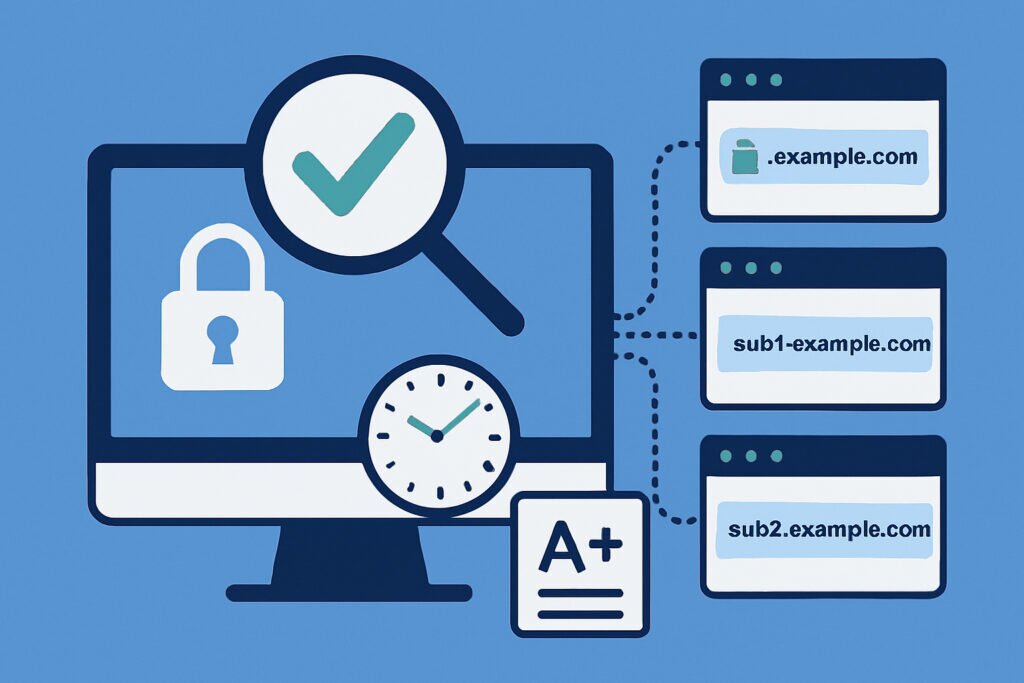
Managing a wildcard SSL certificate can feel like a relief at first. One certificate, unlimited subdomains – what’s not to love? But here’s the catch: that single point of failure can become a nightmare if you’re not monitoring it properly. When a wildcard certificate expires or encounters issues, it doesn’t just affect one subdomain. It affects all of them simultaneously. I learned this the hard way when a client’s wildcard certificate expired at 2 AM on a Saturday, taking down their entire subdomain infrastructure including their customer portal, API endpoints, and documentation site.
The reality is that wildcard certificates require a different monitoring approach than standard certificates. You can’t just check one domain and call it a day. You need comprehensive coverage that ensures every subdomain is properly secured and that you have advance warning before any issues arise.
Why Wildcard Certificate Monitoring Is Different
A wildcard certificate covers *.yourdomain.com, which means it can secure blog.yourdomain.com, shop.yourdomain.com, api.yourdomain.com, and any other subdomain you create. The advantage is obvious – you only need to manage one certificate instead of dozens. But this convenience creates a monitoring challenge.
First, you need to verify that the wildcard certificate is actually being used across all your subdomains. It’s surprisingly common to find that some subdomains are still using old individual certificates, creating confusion about which certificate protects what. Second, you need to ensure that the certificate chain is properly configured on every server or service using the wildcard certificate. A misconfigured chain on one subdomain won’t affect others, but it will break that specific service.
Third – and this is crucial – you need multiple layers of expiration alerts. When a wildcard certificate expires, everything goes down at once. There’s no gradual degradation, no warning from users about one subdomain being broken. It’s an all-or-nothing situation.
Setting Up Comprehensive Subdomain Monitoring
The first step is creating a complete inventory of all subdomains using your wildcard certificate. This sounds simple, but in practice, it’s easy to lose track. Development subdomains, temporary testing environments, and services set up by different team members can all slip through the cracks.
Start by checking your DNS records to identify all active subdomains. Then verify which ones are actually using HTTPS and relying on your wildcard certificate. You’ll want to monitor at least your production subdomains daily, but don’t ignore staging or development environments – they often get overlooked until something breaks.
For each subdomain, you should monitor several key aspects. Check that the certificate is valid and matches your wildcard certificate. Verify that the certificate chain is complete and properly ordered. Test that the certificate hasn’t been revoked. And most importantly, track the expiration date with multiple alert thresholds.
Implementing Multi-Layer Alert Systems
Here’s where many monitoring setups fall short. A single alert 7 days before expiration isn’t enough for a wildcard certificate. You need multiple warnings at different intervals because the stakes are higher.
I recommend setting alerts at 30 days, 14 days, 7 days, and 1 day before expiration. The 30-day alert gives you time to coordinate renewal without pressure. The 14-day alert serves as a reminder if the first one got buried. The 7-day alert should trigger escalation if the certificate still hasn’t been renewed. And the 1-day alert is your last-ditch warning before disaster strikes.
But expiration isn’t the only thing worth monitoring. Certificate chain issues can appear suddenly when server configurations change or intermediate certificates are updated. OCSP stapling problems can degrade performance even if the certificate is technically valid. And mismatched certificate details can cause browser warnings even when everything else looks fine.
Dealing With Common Wildcard Certificate Issues
One myth I want to address: many people think that because they have a wildcard certificate, they don’t need to worry about subdomain-specific issues. That’s not true. Each subdomain can have unique configuration problems even when using the same certificate.
For example, I once encountered a situation where the wildcard certificate was properly installed on the main web server, but the API subdomain was running on a different server with an incomplete certificate chain. The certificate itself was fine, but browsers couldn’t verify it because the intermediate certificates weren’t included. Monitoring caught this within hours instead of weeks.
Another common issue is mixed content warnings. Your wildcard certificate might be perfect, but if a subdomain serves HTTPS pages that load HTTP resources, browsers will complain. This doesn’t mean your certificate is broken, but it does mean your security implementation needs work.
Automating Certificate Renewal Workflows
Wildcard certificates from Let’s Encrypt require DNS validation, which can’t be automated as easily as HTTP validation for single domains. This means you need to either set up automated DNS record updates through your provider’s API or use a certificate management tool that handles this for you.
The key is integrating your monitoring system with your renewal workflow. When you receive a 30-day expiration warning, your process should already be in motion. Whether that means triggering an automated renewal script or creating a task for your operations team depends on your infrastructure, but the monitoring alert should be the starting point, not a surprise.
Testing Your Monitoring Setup
Don’t wait for an actual problem to discover that your monitoring isn’t working. Create a test subdomain with a short-lived certificate and verify that your monitoring system catches issues before they become critical. Check that alerts actually reach the right people and that they contain enough information to take action.
Regular testing also helps you refine your alert thresholds. You might find that 30 days isn’t enough lead time for your organization’s approval processes, or that daily checks are catching too many false positives from temporary network issues.
Frequently Asked Questions
Do I need to monitor every single subdomain individually? Yes and no. While the wildcard certificate itself is shared, each subdomain should be checked to ensure proper implementation. However, you can use automated tools to scan all subdomains rather than configuring each one manually.
What happens if one subdomain has certificate issues but others don’t? This usually indicates a configuration problem on that specific server or service rather than an issue with the certificate itself. The monitoring should identify which subdomain is affected so you can fix that particular configuration.
Can I use the same monitoring approach for multi-domain wildcard certificates? Absolutely, but you’ll need to multiply your monitoring points. A certificate covering *.domain1.com and *.domain2.com requires checking subdomains across both domains.
Wildcard certificate monitoring isn’t just about preventing downtime – it’s about maintaining trust with your users and avoiding the panic that comes with widespread certificate failures. With proper monitoring in place, you’ll catch issues early, renew certificates with time to spare, and sleep better knowing that your entire subdomain infrastructure is protected.